Built to Overcome the Limits of Legacy Scanning
Most film scanning services still rely on equipment developed in the 1990s and early 2000s. Sensor and optical technology have advanced substantially since then, but film-scanner hardware has changed far less. dokko was engineered from the ground up to address those older limitations.
dokko vs. Imacon 848
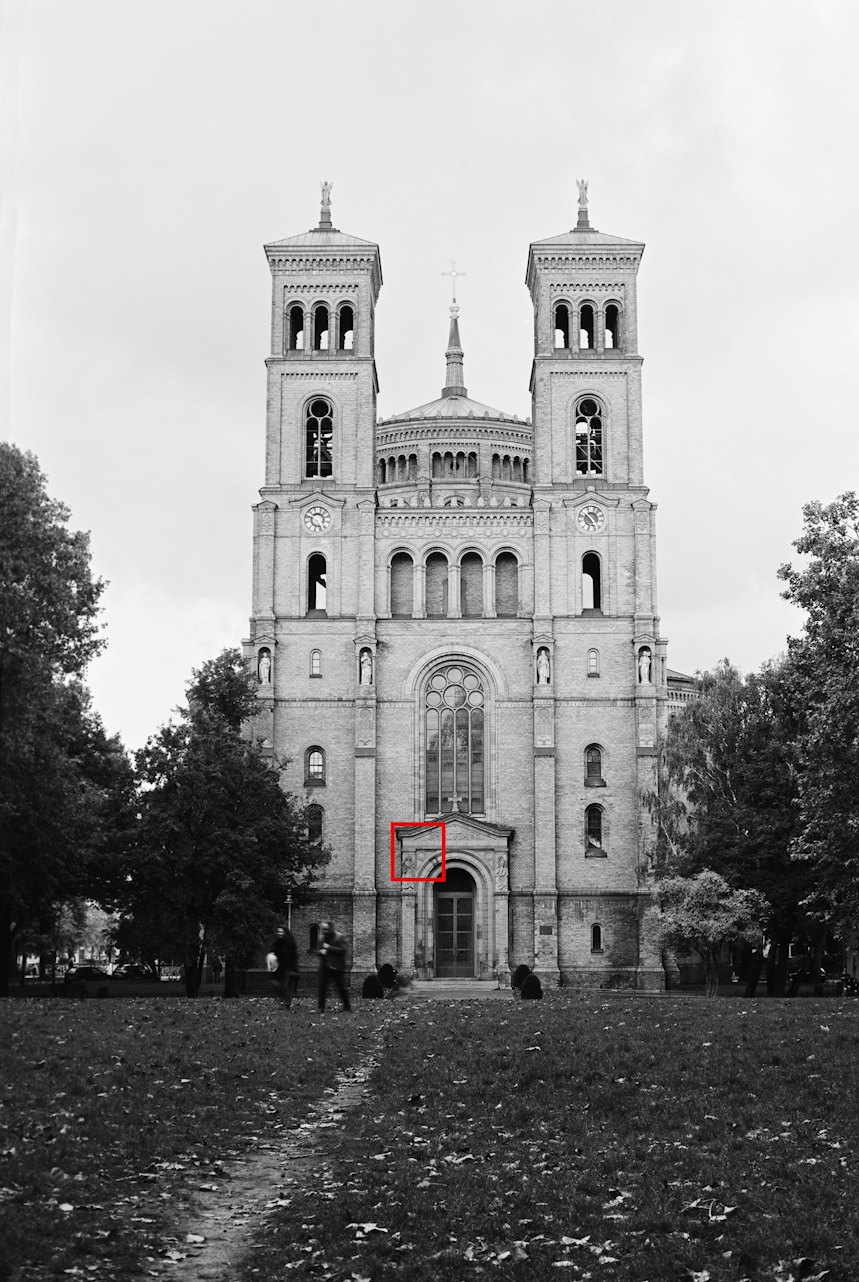
This comparison shows a 35mm detail scanned with dokko and with an Imacon 848, one of the high-end film scanners still widely used in professional workflows. The red area marks the enlarged detail.
- The 3150 ppi sample may appear sharper than the 4000 ppi sample on small screens due to increased pixelation.
- The 6300 ppi and 8000 ppi samples show similar detail because, in practice, the Imacon lens appears to resolve little additional information beyond roughly 5500 ppi.
Imacon / Hasselblad
The Imacon 848 and 949 scanners, along with their near-identical successors the Hasselblad X1 and X5, were among the most respected film scanners of their era. They were impressive machines for their time, but they also involve a set of engineering compromises that dokko was designed to avoid.
-
Geometric distortion
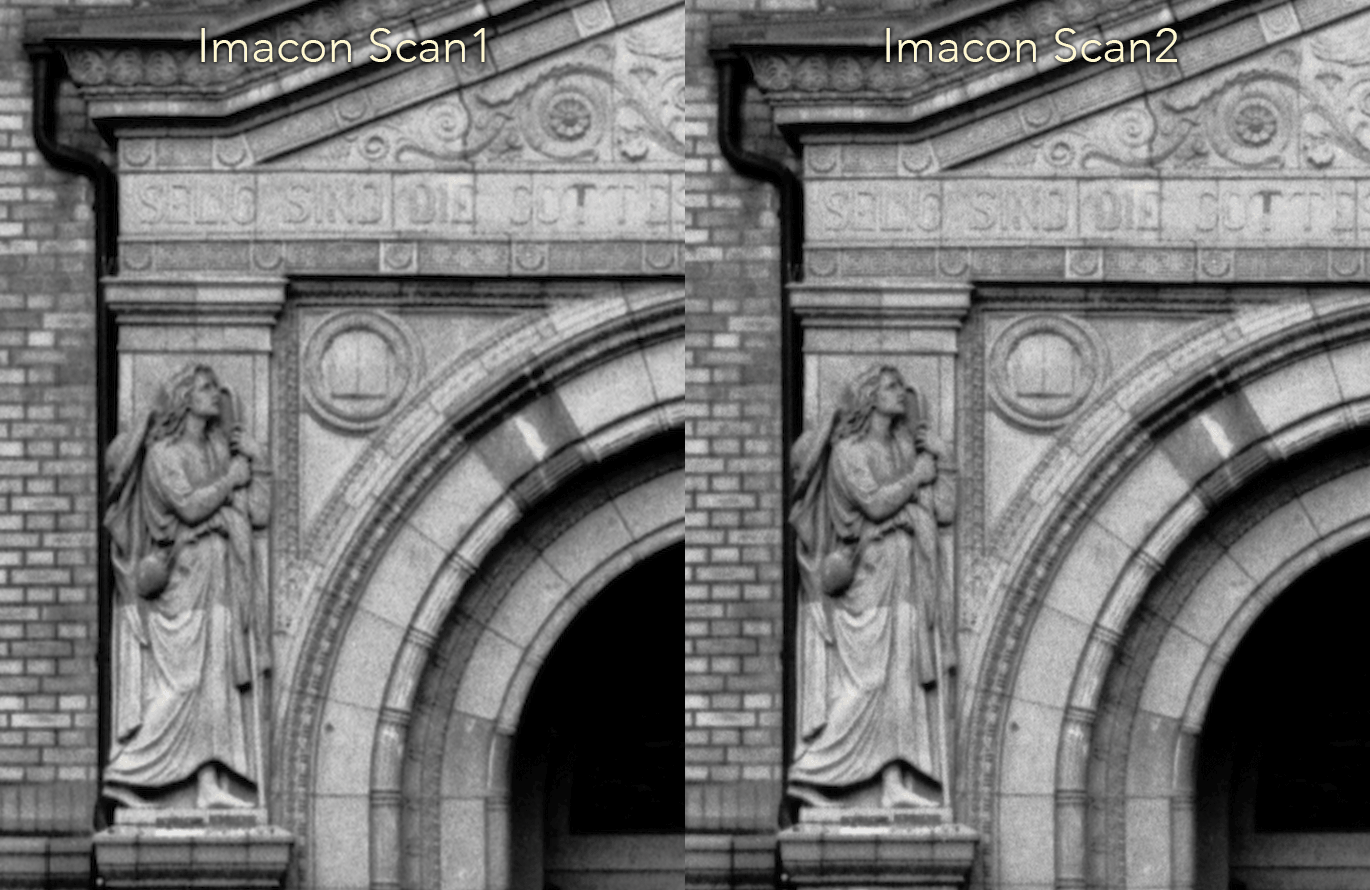
Imacon scanners capture the film line by line using a stepper motor and reconstruct the final image in software. Mechanical tolerances in the transport system can introduce geometric inconsistencies, sometimes visible as wavy lines that differ between two scans of the same frame made with identical settings. dokko uses a high-resolution area sensor that captures the entire frame at once, avoiding this class of transport-related distortion.
To illustrate: below is a detail of the same film scanned twice in an Imacon 848 with identical settings.
-
One lens for all formats
The Imacon / Hasselblad scanners use a single lens across all film formats. Because the required magnification differs greatly between 35mm and large format, this involves optical compromises and helps explain why real-world resolving power falls short of the highest advertised figures.
-
Edge-to-edge sharpness
Imacon marketed its elastic film holder as a "virtual drum" meant to keep the film at the optimal focal distance across its full width. In practice, uneven bending frequently results in sharpness problems towards the edges, particularly on the widest formats.
-
Built-in digital sharpening
To compensate for the limits of its optics, Imacon operates the scanner lens at a small aperture, which increases diffraction softening. The files are then sharpened digitally, and that sharpening cannot be removed completely in normal use. The result can look over-sharpened, with grain rendered more as digital artefact than as natural film texture.
-
Frame cropping
The film mask that holds the film typically crops the image at the borders, cutting into the full frame area.
- Widely-used models:Released
- Imacon Flextight 8482001
- Imacon Flextight 9492004
- Hasselblad Flextight X12006
- Hasselblad Flextight X52006
Drum Scanners
In the 1970s, drum scanners were a major advance: among the first machines capable of producing genuinely high-quality scans. They remained a professional reference standard well into the digital era, but the models still in use today are based on electronics and optics developed decades ago.
Drum scanners are still often associated with high dynamic range and low noise. In practice, modern digital sensors and signal processing can match or exceed the image quality of these older systems in many areas. Some drum scanners advertise resolutions of up to 12'000 ppi, but practical optical resolution is typically much lower, often in the 5000-6000 ppi range. They can still produce strong results with large-format originals, where extreme scan resolution matters less, but on medium and small format the gap between nominal and effective resolution becomes much more noticeable.
Drum scanning also requires the film to be wet-mounted: the original is immersed in an oil or solvent solution and fixed to the drum with adhesive tape. This puts wear on the original and carries a real risk of contamination. There is also the risk of the film coming loose while the drum rotates at speeds up to 2000 rpm.
- Widely-used models:Released
- Heidelberg Chromagraph DC 30001988
- Heidelberg Chromagraph DC 39001993
- Heidelberg Tango1997
- ICG 370HS1998
- Howtek HiResolve 80001999
- Dainippon Screen SG-8060P Mark II2000
- Heidelberg Primescan2000
Flatbed Scanners
High-end flatbed scanners can deliver useful results with large-format originals, where their lower resolution is less limiting. On smaller formats, optical resolution becomes a more significant constraint. Advertised specifications often reach 6000 ppi, but true optical resolution on even the best prosumer flatbeds is closer to 2400 ppi, with high-end models reaching roughly 3000-4000 ppi. Like drum scanners, the flatbed models still commonly used in professional work were designed around the turn of the century, and their sensor performance and noise characteristics reflect that.
- Widely-used models:Released
- Heidelberg Topaz1994
- Creo/Scitex EverSmart Pro2000
- Screen Cezanne Elite2000
- Creo/Kodak EverSmart Supreme2000
- Creo/Kodak iQsmart 32003
Frontier / Noritsu Minilab Scanners
Fuji Frontier and Noritsu scanners were developed for fast, inexpensive preview scans and prints within minilab systems. They are useful for getting a quick overview of a roll, but they were not designed for archival masters or demanding print work. Compared with higher-end scanning systems, their files often show stronger digital processing artefacts and less nuanced colour separation. From the outset, these machines were tuned for speed and throughput rather than maximum image quality.
- Widely-used models:Released
- Fuji Frontier SP-15001999
- Fuji Frontier SP-25002000
- Fuji Frontier SP-30002004
- Noritsu LS-6002007
- Noritsu HS-11002007
- Noritsu HS-18002007